

Salesforce metadata types you can back up with mtdt
Custom objects & custom fields
Flows, validation rules, approval processes
Apex classes & triggers
Profiles & permission sets
Record types & page layouts
Lightning pages or components
Reports & dashboards
Custom settings or metadata types
Roles & other org settings
A backup retrieves the org's metadata through the Salesforce Metadata API and stores it securely. You can scope a backup to specific metadata types or capture the org broadly, depending on what you need to protect.
Features:
Available on every mtdt plan, including Free
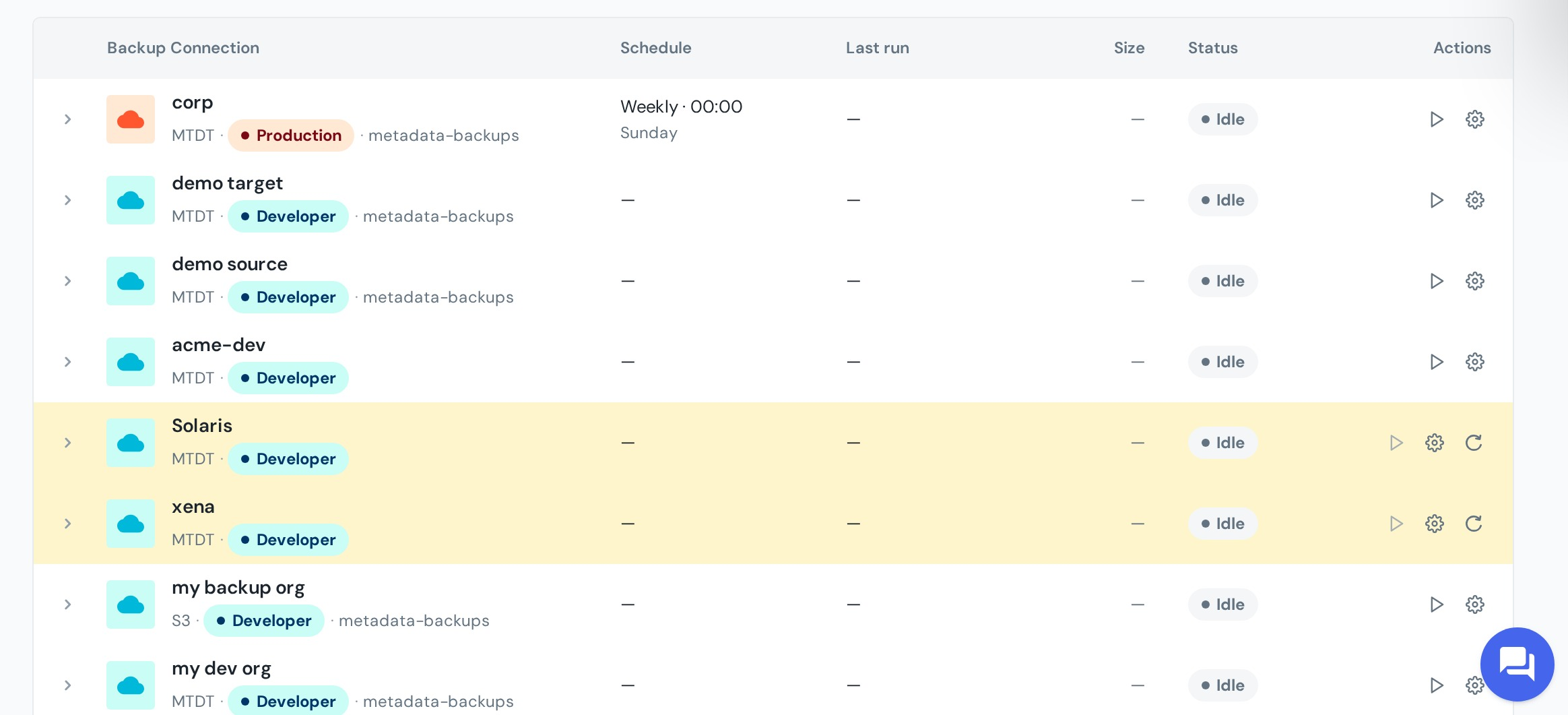
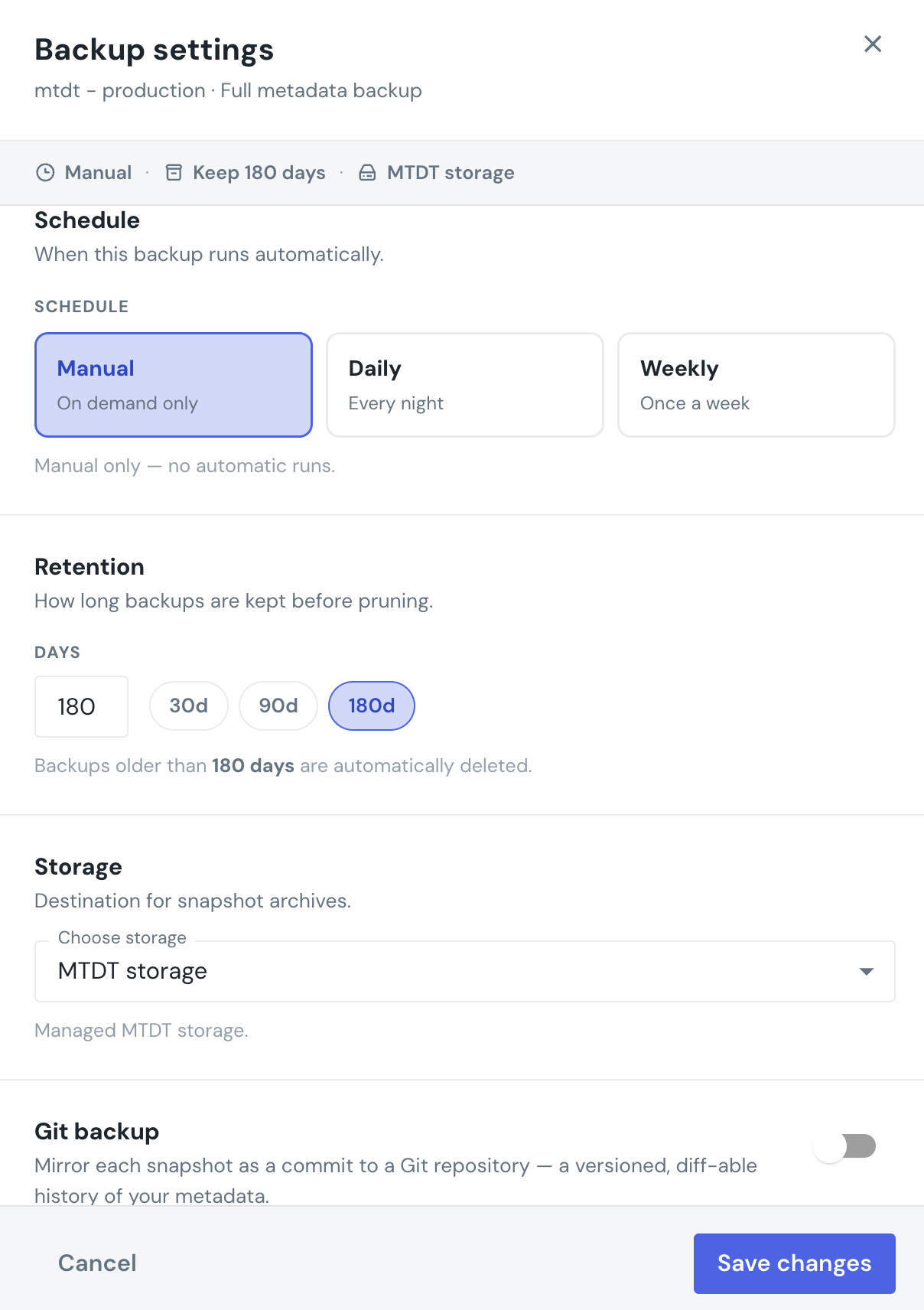
Set up a schedule to let mtdt run backups automatically
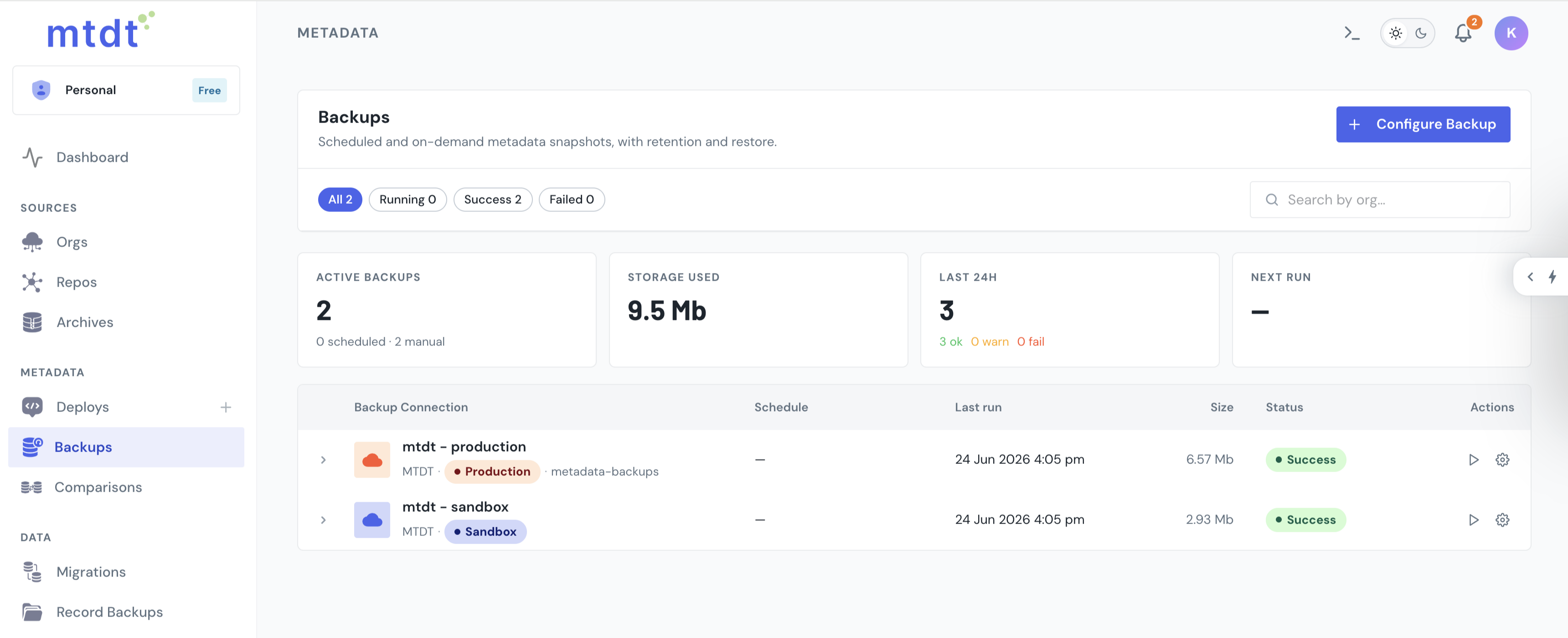
mtdt tracks each run, including its status and contents, in the backup history
Run a backup on demand anytime, for example, before a risky change
Connect your own S3 storage to avoid limits and risks
How it works
why perform a metadata backup
Protect your Salesforce configuration and recover from unexpected changes
Recover from mistakes
Each deployment is saved as a clear, restorable snapshot
Protection against errors
Something went wrong in Production? Roll back to a known working state quickly and safely
Keep track of changes
Know what changed, when, and how and see what your Salesforce configuration looked like before
Disaster recovery
If the configuration is severely corrupted or lost, a backup becomes an important part of the disaster recovery plan
Sandbox / Prod management
Metadata can be compared across different environments. Especially useful for large teams and frequent changes
Things went sideways? Don’t panic. Just roll back.

frequently asked questions
Find answers to common questions about the mtdt metadata backup and rollback features
A metadata backup captures your Salesforce configuration at a specific point in time, giving you a reliable snapshot you can inspect, download, or restore when needed.
Yes. mtdt can push an org's metadata to a connected Git repository, allowing you to version, review, and track configuration changes alongside your code.
es. You can browse and download snapshots to see exactly what metadata was captured at that point in time before deciding whether to restore or redeploy it.
Yes. Before starting a rollback, mtdt checks the target org's Salesforce deployment history to determine whether any other metadata deployments were completed after the deployment you're trying to undo. This includes deployments made through change sets, Salesforce CLI, Workbench, Ant, other DevOps tools, or mtdt.
When performing an important deployment, enable the Backup / Rollback Point option. mtdt.io captures the target org's state before the deployment and uses that snapshot as a rollback point. If something goes wrong, you can roll back to the captured state instead of manually undoing the changes.
No. Rollback covers the metadata components included in the original deployment. It does not restore Salesforce data records or undo changes made by other deployments or administrators after the deployment you're rolling back. For record protection, use mtdt Salesforce Data Backup.
contact us
Have questions? We’re here to help!