
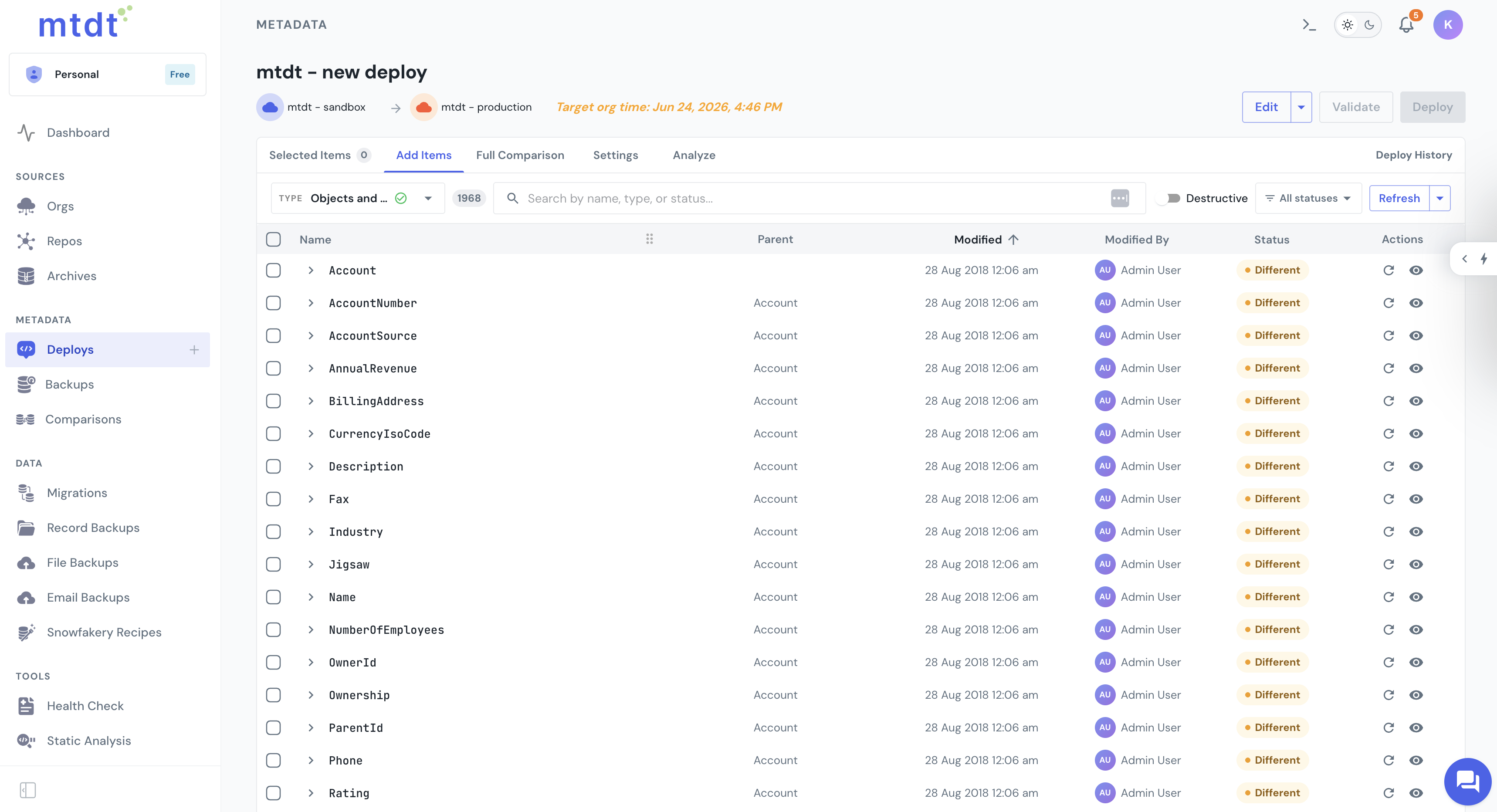

Track every deployment in real time and keep a complete history of who deployed what and when. When something fails, mtdt shows the underlying errors so you can fix and retry without delay.
Org to Org: move changes from a sandbox to UAT or production
Git to Org: deploy a branch from your source of truth directly into Salesforce
Git to Org: deploy a branch from your source of truth directly into Salesforce
No manual package rebuilding
You can add:
Deploy Salesforce metadata in a few clicks
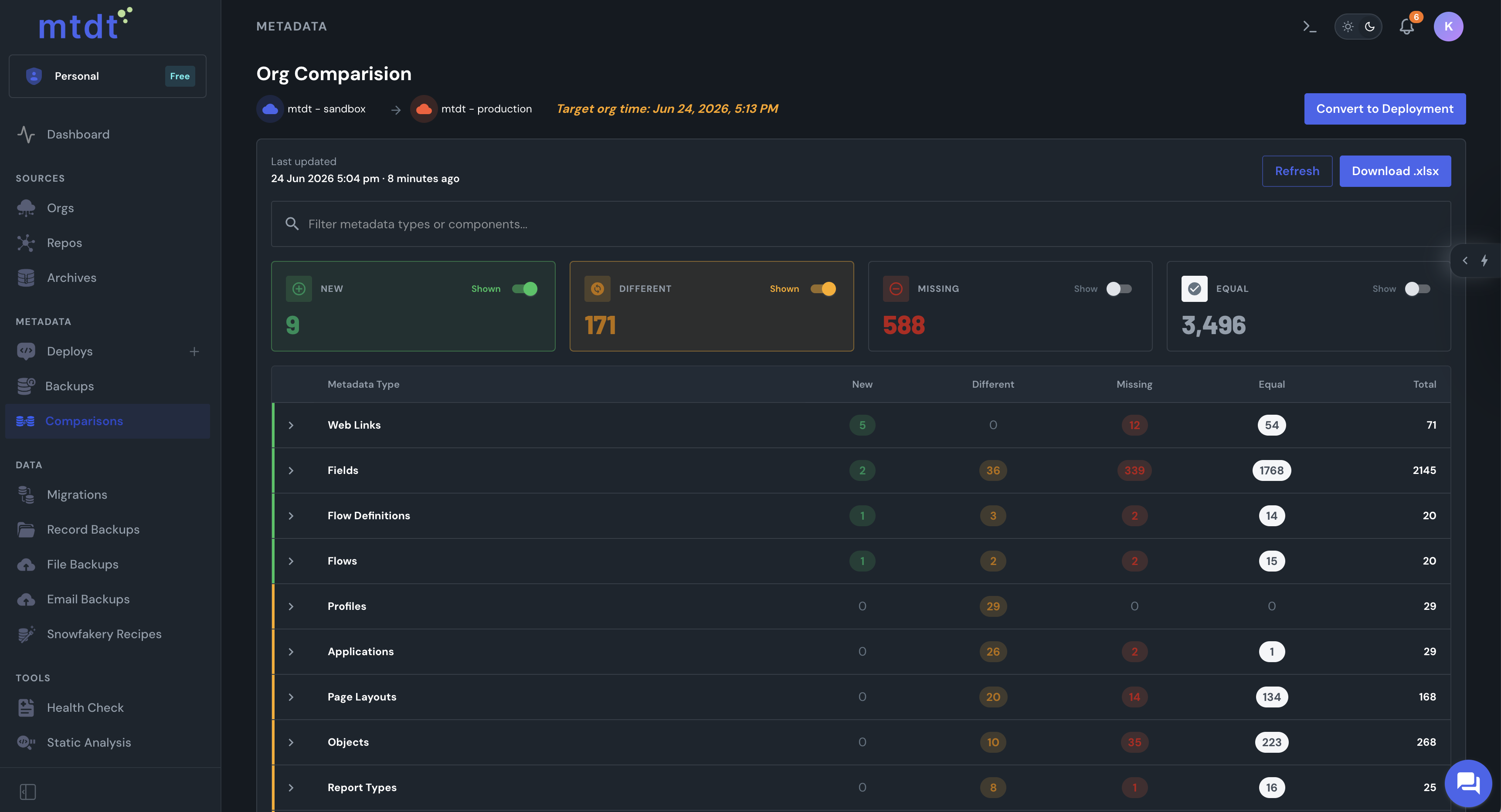
Stop digging through metadata manually. mtdt shows you the differences between your source and target environments, so you can understand exactly what you're about to deploy.
See exactly what changed before you deploy
See:
New metadata
Changed metadata
Removed metadata
Differences between individual components
Dependencies & potential deployment issues
Changed metadata
Removed metadata
Differences between individual components
Dependencies & potential deployment issues
Compare Salesforce orgs visually & select what to move
Found a small problem in a component?
You don't always need to go back to the source org, rebuild the package, and start again.
You don't always need to go back to the source org, rebuild the package, and start again.
Fix your deployment before Salesforce does
Deploy:
Edit metadata directly before deployment
Remove unsupported components
Deploy a clean package
Remove unsupported components
Deploy a clean package
Edit metadata before deployment
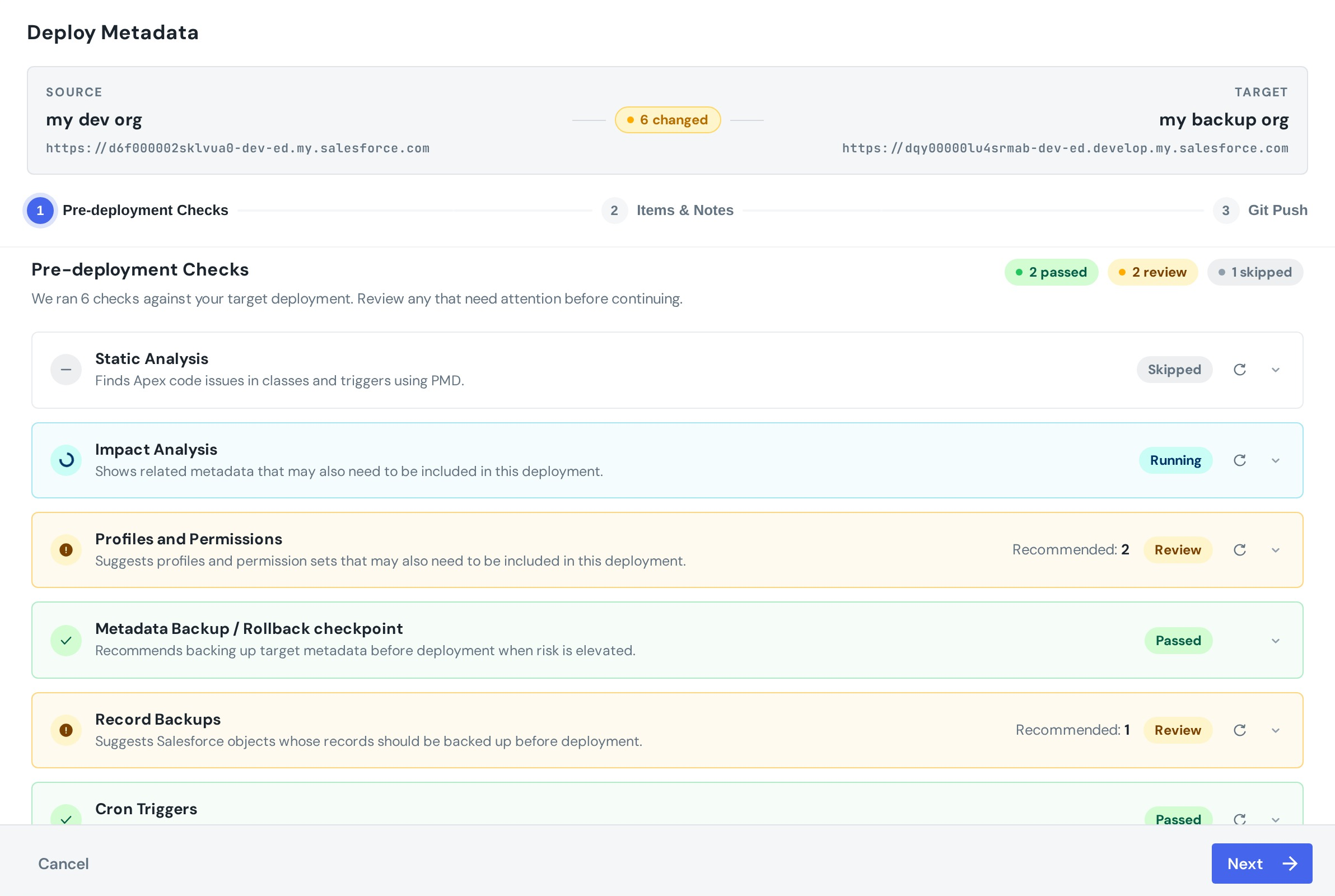
mtdt automatically checks your deployment against the target environment and highlights potential problems before you commit the change.
Catch deployment risks before they reach production
Checks can identify:
Missing dependencies
Profile and permission issues
Apex code problems
Metadata that should be backed up
Records that may be affected
Scheduled jobs affected by the deployment
Profile and permission issues
Apex code problems
Metadata that should be backed up
Records that may be affected
Scheduled jobs affected by the deployment
Validate before you deploy
Archive deployment packages for future use
metadata archiving & combining
Version clarity
Each deployment is saved as a clear, restorable snapshot
Simple partial releases
Deploy only what’s ready without breaking dependencies
Full control over conflicts
Choose which version of a file to keep during merge
Zero rebuild time
No need to recreate or manually rebuild change sets
Audit-ready
Every archive serves as a historical record of what was deployed, when, and where
your deployment history, always available
Every deployment is tracked in mtdt
Who ran the deployment
What was included
Deployment status
Salesforce errors
Deployment history
Previous deployment packages
When something fails, mtdt surfaces the underlying Salesforce error so your team can fix the problem and retry quickly
protect important Salesforce deployments
Add approvals to production releases
Not every deployment should go straight to production. With deployment approvals, your team can require a reviewer to approve a deployment before it runs.
Create role-based permissions for:
Deploy to important orgs
Request approval
Approve or reject
Validate and review
Request approval
Approve or reject
Validate and review
Set up deployment approvals
Features
Salesforce change sets
mtdt
Metadata types
Limited (some types are not supported)
Visual diff comparison
Tracking changes
Limited
Select individual metadata components
Edit before deployment
Pre-deployment validation
Limited
Deployment history
Limited
Deployment approvals
Backup
Rollback
Org to Org deployment
Git to Org deployment
Push deployed changes to Git
Combine deployment packages
frequently asked questions
Find answers to common questions about the mtdt metadata deployment features
Salesforce metadata deployment is the process of moving configuration and development components, such as Apex, Flows, custom fields, layouts, permissions, and other metadata, between Salesforce environments.
Change Sets let you manually select and move components between Salesforce orgs. mtdt adds visual comparison, deployment editing, pre-deployment checks, deployment history, approvals, rollback points, and Git workflows.
mtdt can create a rollback point before important deployments, giving you a recovery point if you need to revert a change.
Yes. mtdt provides visual differences between source and target environments so you can review changes before deployment.
Yes. mtdt supports Git to Org deployments, allowing you to deploy a selected branch into a Salesforce environment.
contact us
Have questions? We’re here to help!